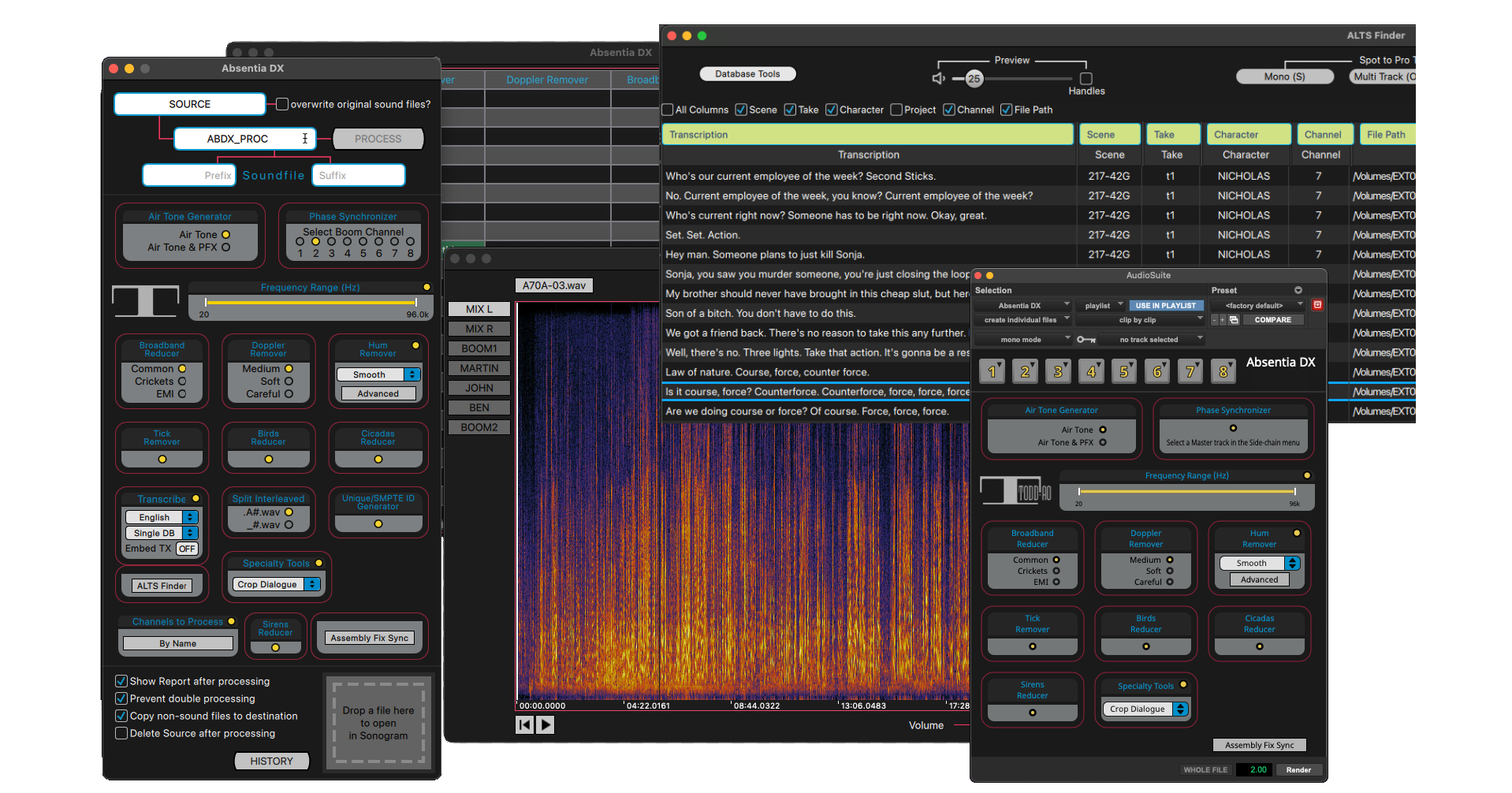
An intelligent algorithm that cleans voice recordings.
Absentia DX analyzes production dialogue recordings, then removes obvious hums, wireless rings and ticks while keeping the human voice intact.
One suite for dialogue.
Effortless
Simple configuration. One-click processing. Professional-quality results.
Productivity
Remove repetitive tasks from your workflow and free up time for creative work.
Flexibility
A standalone app for batch processing, and a Pro Tools plug-in for fine retouches.
Artifact-free
Dialogue cleaning that preserves the natural integrity of the voice recording.
DX Transcription.
Unlock the potential of sound-to-text.
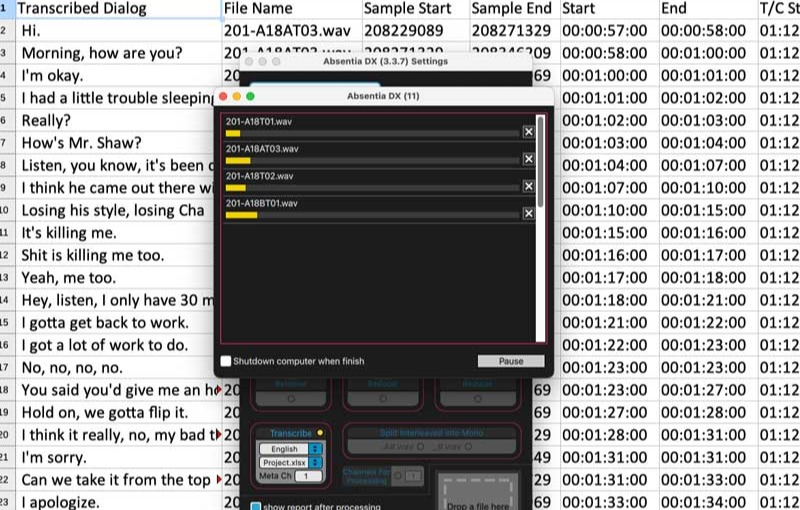
Transcribe converts dialogue recordings into text: production sound, ADR, loop group sessions, voice-overs or any voice recording.
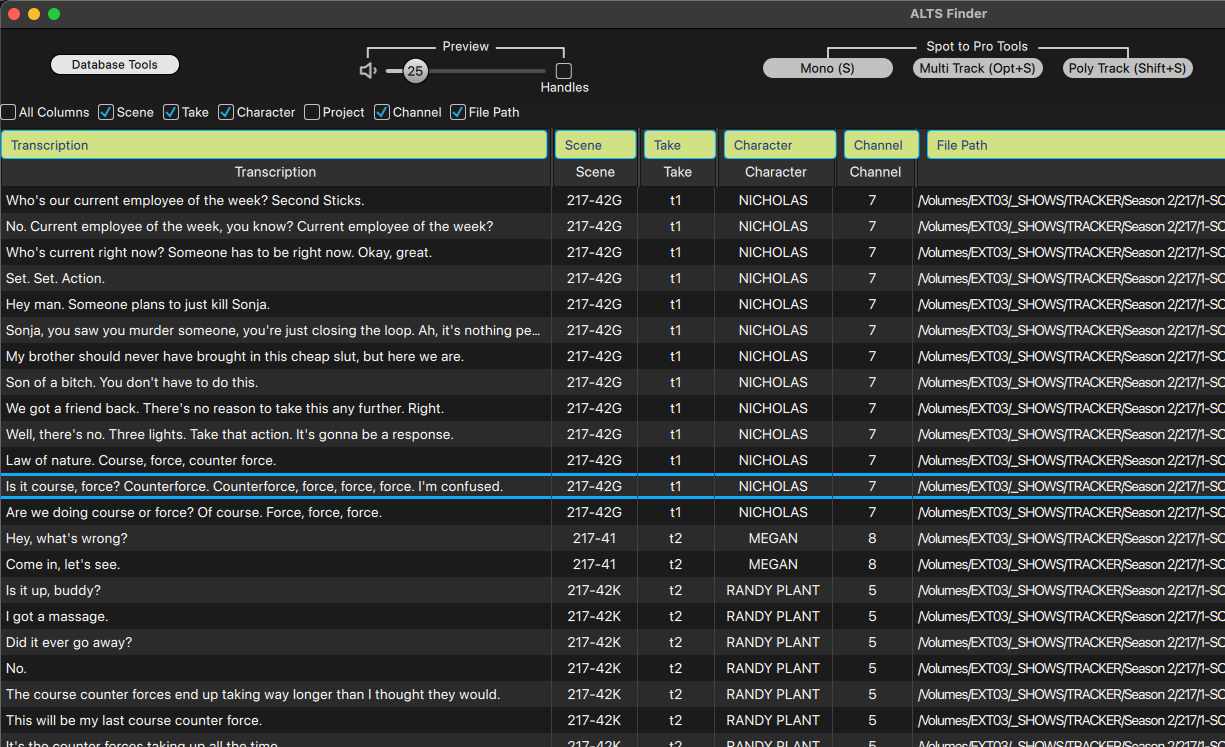
Search for alternative lines, specific words or expressions in a spreadsheet, or directly in Alts Finder.
Take your dialogue cutting to new heights.
Move through your transcribed dialogue, listen to and compare takes, and spot the selected takes into Pro Tools.
Editors spend less time hunting and more on the creative side of the work.
We treat Absentia DX clients as partners, and work with them directly on improvements for their projects.
Meet Absentia DX: behind the scenes of Hollywood's fave audio tool, with Rob Nokes →
DX Cleaning tools.
Hum Remover
Removes hum from recordings automatically. The algorithm takes out obvious hum and harmonics and leaves the dialogue untouched.
Batch process all dailies before editing. Smooth is safe for all dialogue; Smooth and Strong are built to leave the voice intact while taking care of residual noise.
Hum Remover presets
06 presetsSmooth
Smooth removal of hums and wireless rings. Safe for batch processing.
Strong
Strong removal of hums and wireless rings. Safe for batch processing.
Tight
Tighter removal of hums and wireless rings, closer to the dialogue.
Electric Engines
Removes hum from cameras, generators and projectors.
EMI
Removes hum caused by electromagnetic interference, such as radios or transmitters.
Smooth Under Dialog
Smooth removal of hums and wireless rings, focused on the low end that overlaps dialogue fundamentals.
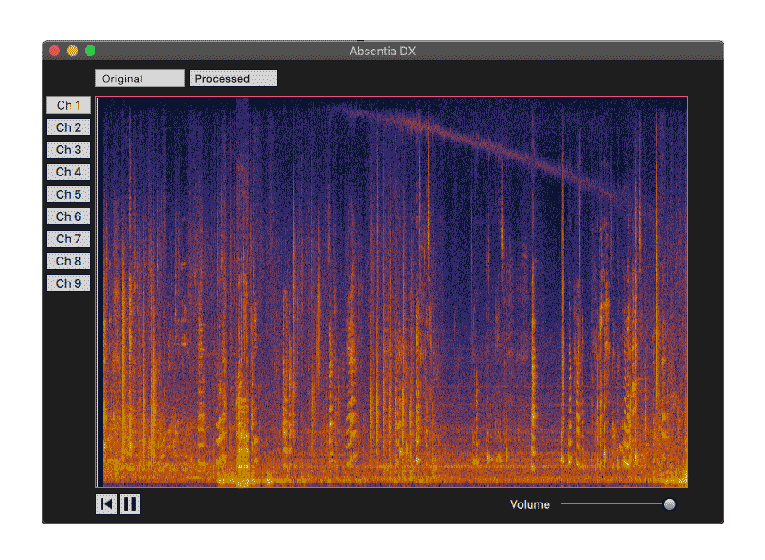
Sonogram Player
View the spectrum of a poly-WAV file and play it channel by channel. Drop a WAV file onto the Sonogram box to see its spectrum.
Open the History window to compare original vs. processed in the spectrogram.
More tools
Doppler Remover
Removes hum and whistle with tonal variation.
Cicadas Reducer
Reduces cicadas in the background while skipping dialogue.
Birds Reducer
Reduces bird chirps in the background while skipping dialogue.
DX Cutting tools.
Air Tone Generator
Create room tones for DX/ADR fills or M&E tracks. Replace vocals with seamlessly blended ambient tone.
Air Tone
Replaces the dialogue and PFX with room tone generated from nearby regions.
Air Tone & PFX
Replaces only the dialogue, leaving the PFX and the actors' moves untouched.
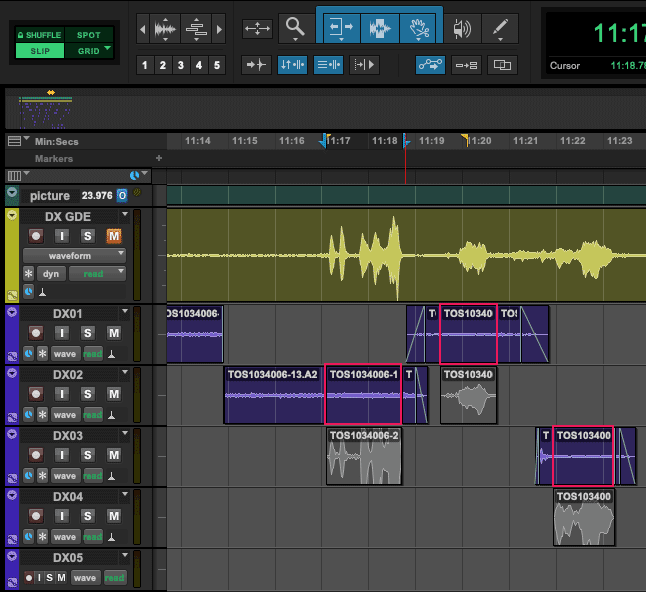
Phase Synchronizer
Cut the boom and lavalier together, and avoid phase cancellation issues.
Channel Name Selector
Select channels by metadata name. Find and process specific tracks across many polyphonic WAV files in seconds.
Target tracks by name, not just number. Pattern matching makes sure every Boom and Lav is captured, even when channel assignments change.
DX Assembly.
ID Generator
ID Generator streamlines stamping dailies with IDs before you make a DX assembly.
Assembly Fix Sync
AFS automatically corrects the offset between AAF clips and their expanded channels in Pro Tools. It nudges the clips, so no new media is generated.
From the cutting room.
"The De-Hum feature is a lifesaver! One click and it's gone. When you have complicated harmonic hums… even more amazing!!! Then the Doppler Remover has done miracles to save an unusable track. Keep up the good work and I look forward to further improvements as you develop them!!!"

"I used the Transcribe feature for the first time on a feature. It's an absolute godsend for finding Alts. You can either use an xls database to search for keywords by character, or have cue metadata added to your sound roll WAVs, and search for text within your sound database app, and spot to Pro Tools more easily. Genius! I'll be using it on every project."

"Absentia DX saves the day again! I had a scene in Ozark that I wanted to throw at Absentia DX just to see what it could do with very high-frequency insects (cicadas and other insects from Atlanta). I used Hum Remover Strong and had Broadband Remover checked as well. It reduced the problem significantly and it was a huge improvement."

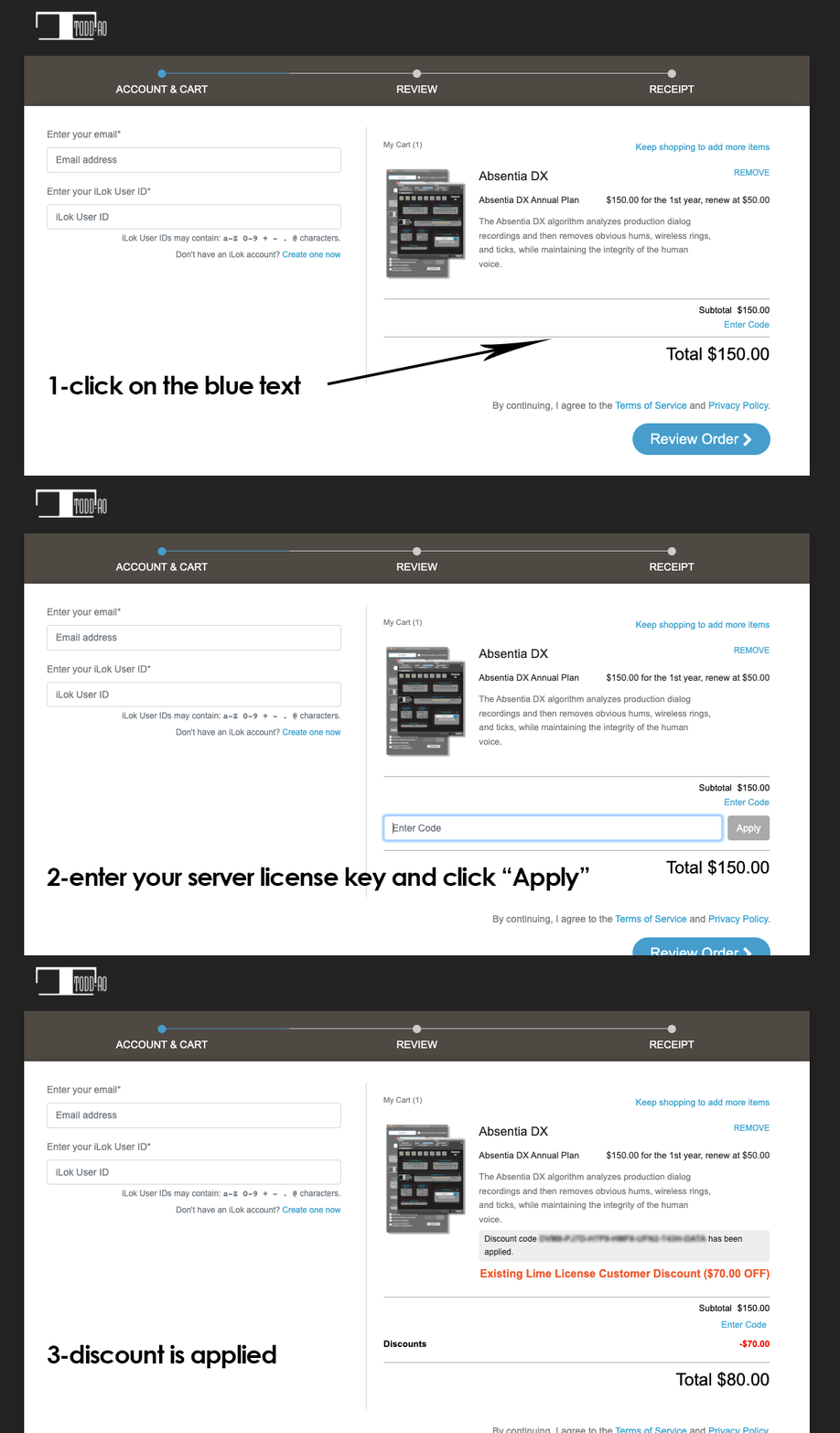
Annual subscription.
Server
For users who don't need to carry the license with them. Activates two machines (work/home) at the same time.
iLok
For users who work in many facilities and need to carry the license. Activates on a 2nd-generation Pace iLok or later. iLok Cloud is not available.
Need a tool for audio post?
Our development team can build custom solutions for your specific needs.